
-
Created by
 Stephan Siemen on Feb 16, 2015
2 minute read
Stephan Siemen on Feb 16, 2015
2 minute read
You have seen already how to visualise outputs
Output formats
All graphical output formats are generated through Magics. Detailed descriptions of the output formats and their settings can be found in the Magics reference documentation.
The table below gives
| Format | parameter | How to visualise | What to use for |
|---|---|---|---|
| Qt | Metview display window | Interactive usage | |
| PostScript | ps/eps | okular, ghostscript/gv | Printing, publications |
| okular, acroread | Web, archiving | ||
| PNG | png | web browsers, display, xv | Web, presentations -> animations |
| SVG | svg | web browsers, inkscape | Web HTML5, editing with inkscape |
| KML/KMZ | kml | Google Earth, Google Maps, OpenLayers | Interactive publications |
Exporting from the plot window
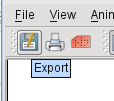
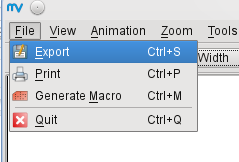
Setting output formats in macro code
KML as output format
KML is a very special output format. It contains the it has no notion of output size.
Be careful
KML can only be generated if the Cylindrical projections is selected!
Converting Geopoints to KML
Metview allows
Importing graphical layers through OGC Web Map Services (WMS)
Metview provides a WMS (Web Map Service) module which can be used to query an OGC-compliant WMS server, retrieve maps from it and overlay them with other data. The following material describes the use of WMS within Metview.
- WMS Tutorial : mv_wms_tutorial.pdf
- Files required for the WMS tutorial: wms_tutorial.tar