
-
Created by
 Maartje Kuilman, last updated by Yigit Altintas on Sept 09, 2026
3 minute read
Maartje Kuilman, last updated by Yigit Altintas on Sept 09, 2026
3 minute read
If you are a ECMWF Member and Co-operating States or a user with the silver or gold service package, you can make modify your data requirements yourself in the Product Requirements Editor (PREd). In case you cannot access the application, please contact us by raising a ticket through the Support Portal.
Users are reminded you cannot add more data than thupper limit of your current volume band allows. If you wish to add more data, please contact us by raising a ticket through the Support Portal.
Access the Product Requirements Editor
Log in to the Product Requirements Editor (PREd) web interface, using your username and password.
To access PREd, you need your ECMWF account password. To access ECPDS, you need your TOTP token.
Destinations and feeds on the PREd
Requirements are grouped in logical containers. At the top level we have the organisation. Organisation contains 1 or more destinations, each representing a physical host.
Destinations contain feeds. These are containers where you will be able to see the editor and the dissemination requirements.
As a user you cannot add a new feed. If you want a new feed, please contact us through the Support Portal and ask for the new feed, please also include the desired name and description.
If you want to install new data to test, please install your data in a test feed (that starts with T). If you would like to install your requirements in operations right away, you can install them in an operational feed.
You can install your data with the help of so-called snippets (<>), see below for more information about this tool.
By clicking on the bug symbol, you can check if your data configuration validates. The tools below can help you.
If there is an error somewhere, your request will not validate and the bug turns red. If you hover over the  icon, you will get more information about the error. For some common validation errors, please have a look at the following page: Common validation errors.
In the event you're unable to understand the error message, please save your configuration as a draft and contact us through the Support Portal.
If the data requirements are valid, the bug turns green. You can then send in a publication request. There is no need to open a ticket as well.
Snippets
What it does: Allows users to insert template requirements into their feed, which they can modify and use to build requests from scratch
How to use: hover over the <> icon
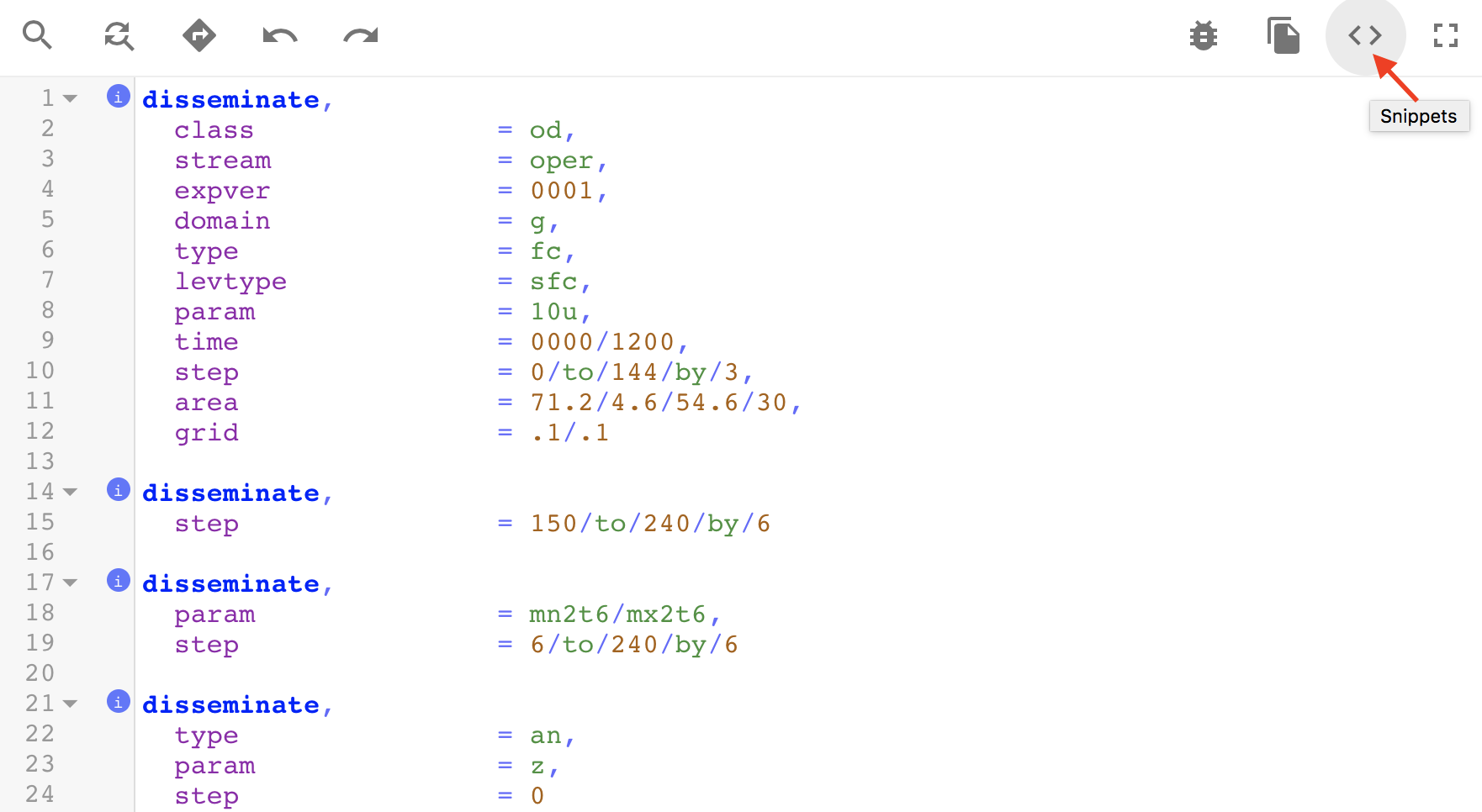
Inheritance
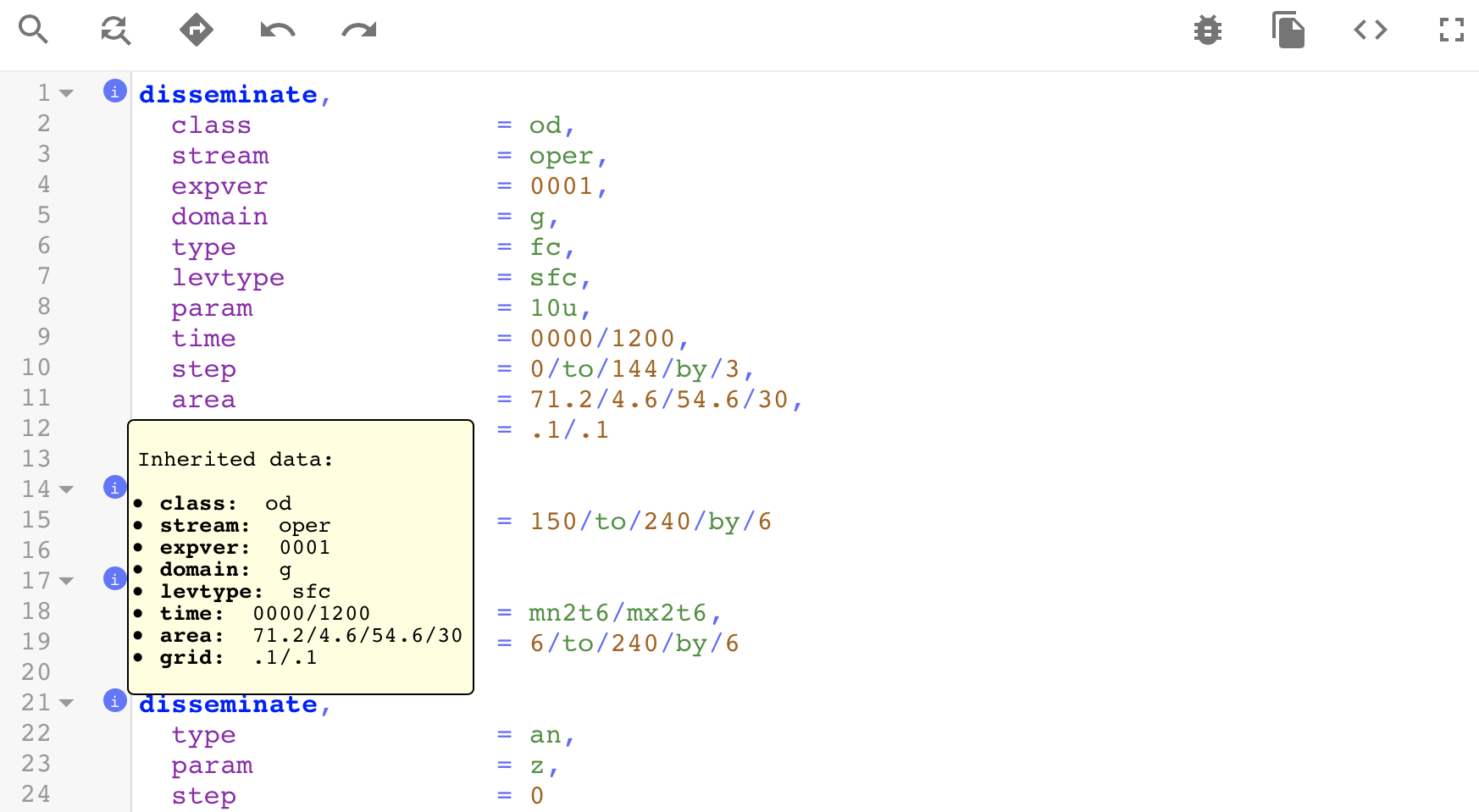
What it does: Displays the data that is being inherited from the preceding dissemination request
How to use: hover over the
iconFuture enhancements: selectively paste inherited data into the requirements
Get help
ECMWF Forum — search past answers, ask the community
Support Portal — raise a ticket
Getting data — start here
How do I get ECMWF forecasts?
What can I access for free?
Accessing data for commercial purposes
Licence & delivery
Fee waiver for research projects
Renewal forms
Why haven't I received my forecast data?
Meteorological or forecasting questions
Forecast User Portal
Forecast User Guide
ECMWF Parameter Database