...
| Panel | ||||
|---|---|---|---|---|
| ||||
This guide considers creating SSH keys for LDAP (accepting OpenSSH format). If you prefer to set local keys into the VMs using Morpheus (accepting PEM format), please follow the guide at: Add your SSH key pair to Morpheus. |
Generate SSH Key Pair
On a Unix-based System (Linux/macOS):
...
- Start by connecting to your Remote Desktop with the username assigned to your ldap tenancy.
- Once you're in, launch Firefox and visit the IP of your LDAP server.
- Once you're in the LDAP, You can then click on the user and insert SSH keys
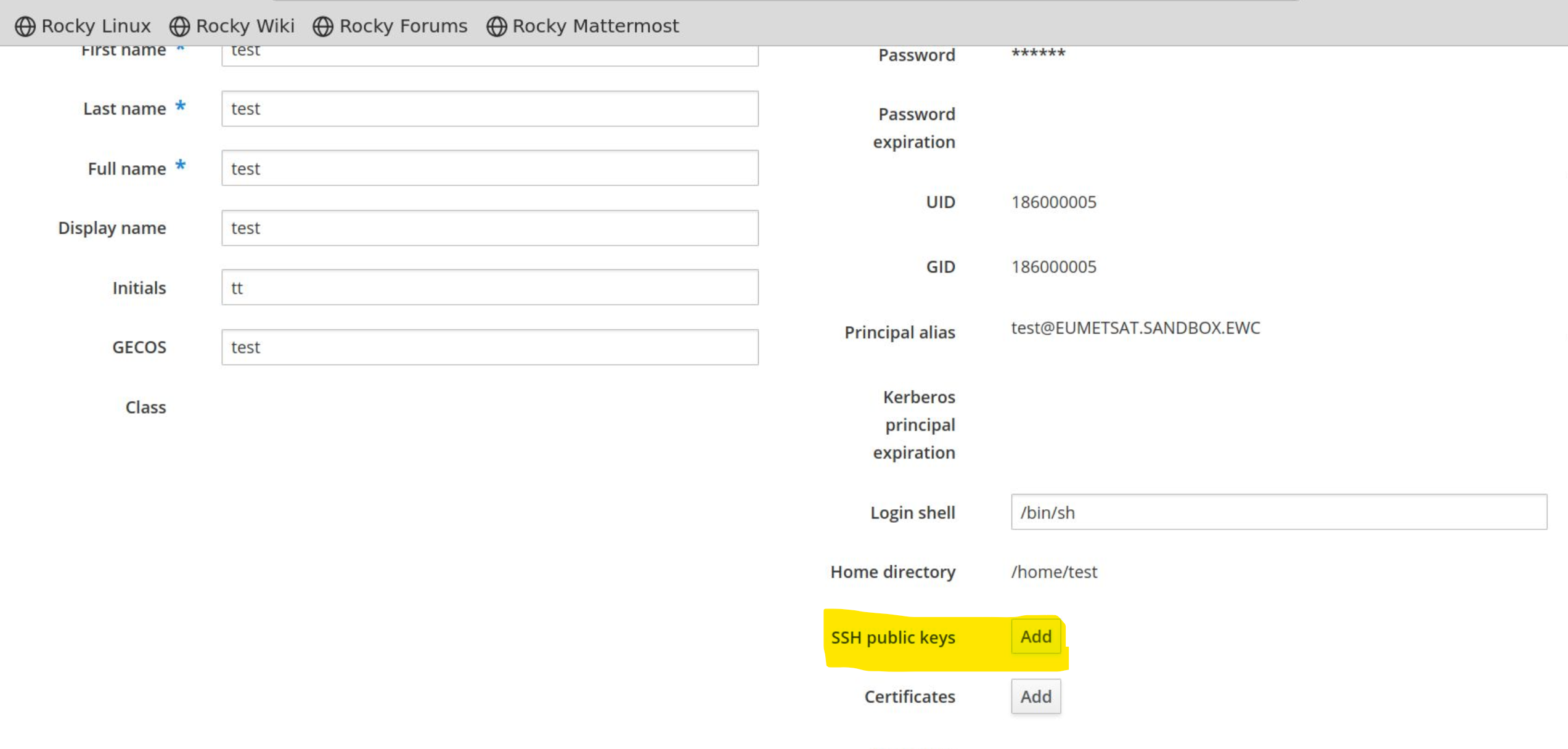
Force SSH key authentication for already provisioned instances:
...
Go to the Instance → Actions → Run workflow → force_ssh_authenticationEnforce SSH Key Authentication
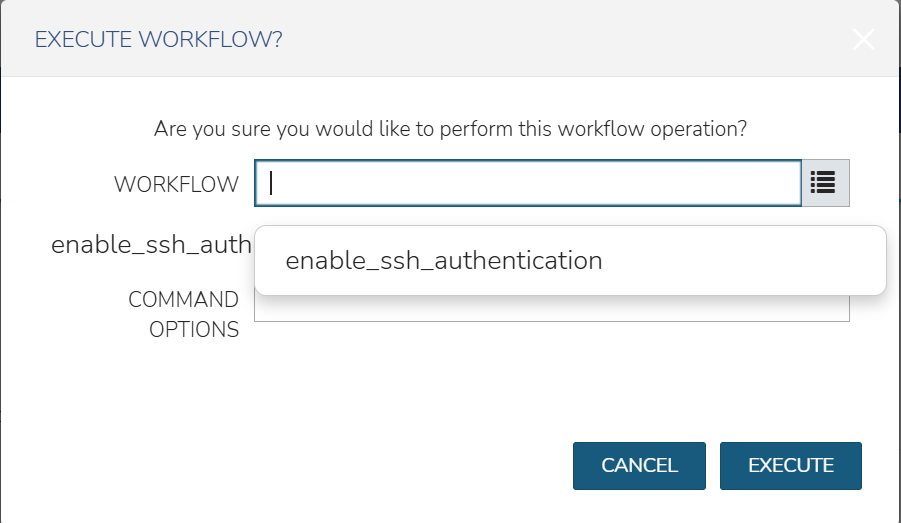
| Panel | ||||||
|---|---|---|---|---|---|---|
| ||||||
Please make sure that you have first set up the SSH keys to your LDAP or VMs. Otherwise you won't be able to ssh into your VM after running the workflow. |
...