-
Created by
 Alae Zouitni, last updated by Francesco Murdaca on Jan 20, 2026
2 minute read
Alae Zouitni, last updated by Francesco Murdaca on Jan 20, 2026
2 minute read
Connecting to the cluster
Using Kubectl
Personal Kubeconfig
One way to interact with your cluster is by downloading the kubeconfig file and using kubectl. This allows you to manage and interact with your cluster directly from the command line.
To download the kubeconfig, go to the EWC K8s Dashboard
Note: By default the application roles given from EWC IAM to users are inherited through all services linked, including the cluster access, therefore a user with correct EWC IAM application role access, can access the clusters created in that tenancy already.

Note: In order to interact with your cluster from outside EWC, you need to make sure HTTPS access to destination port 6443 is allowed on your organization's firewall.
Note: Ensure that kubectl is installed on your system before using the kubeconfig file to interact with the cluster. If kubectl is not installed, you will not be able to execute commands.
Once you have downloaded the kubeconfig file, export it to your environment to start interacting with your cluster.
$ export KUBECONFIG=/tmp/kubeconfig-xf76qxjzk9
$ $ kubectl get nodes
NAME                                        STATUS   ROLES    AGE    VERSION
xf76qxjzk9-worker-74555n-668bb77cc6-wtsmv   Ready    <none>   3m8s   v1.30.12
Service Account Kubeconfig
For use-cases where non-expiring tokens are required, a service account with a role binding shall be created on the cluster from the KKP Dashboard.
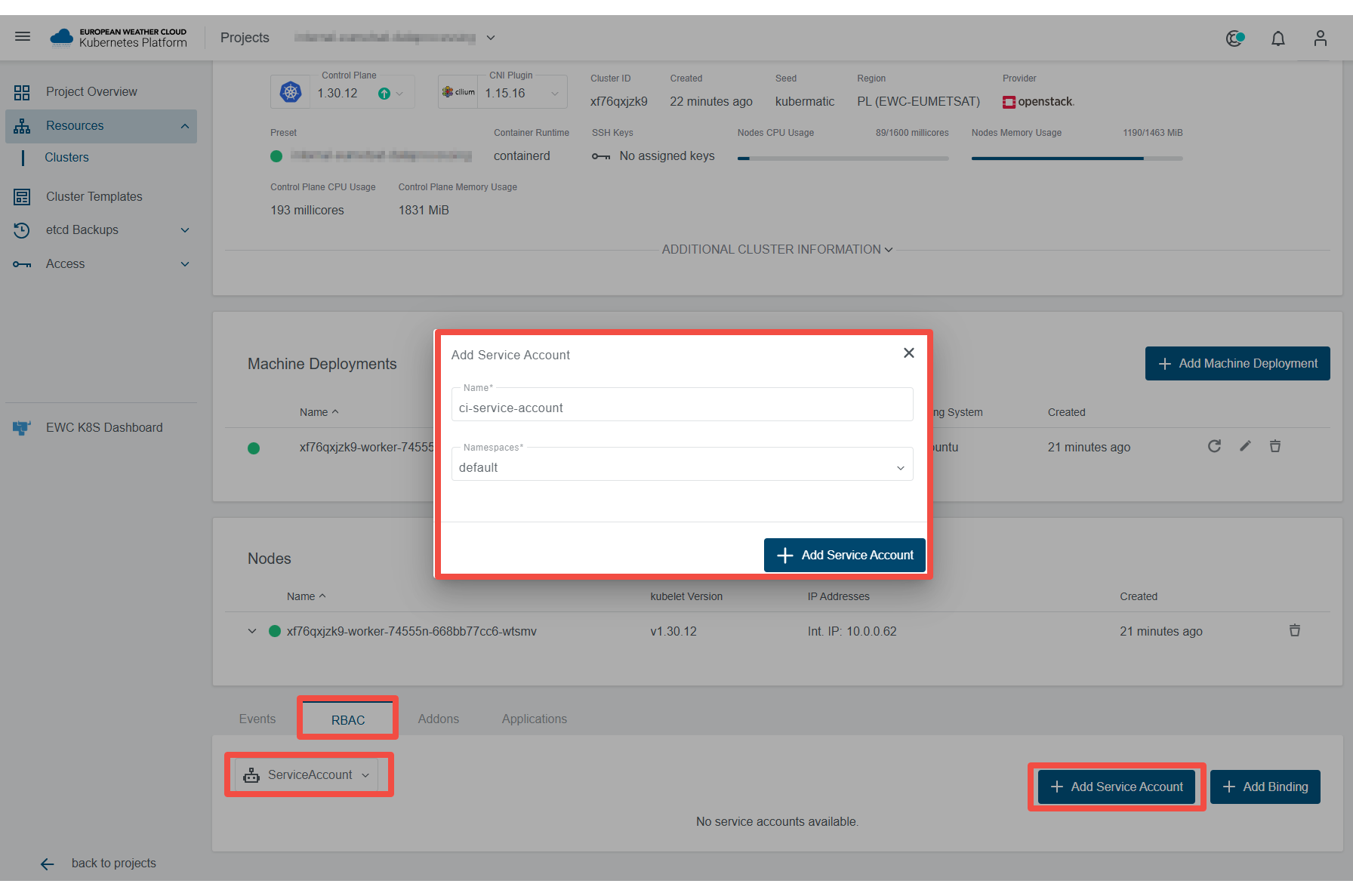
- Create a new service account
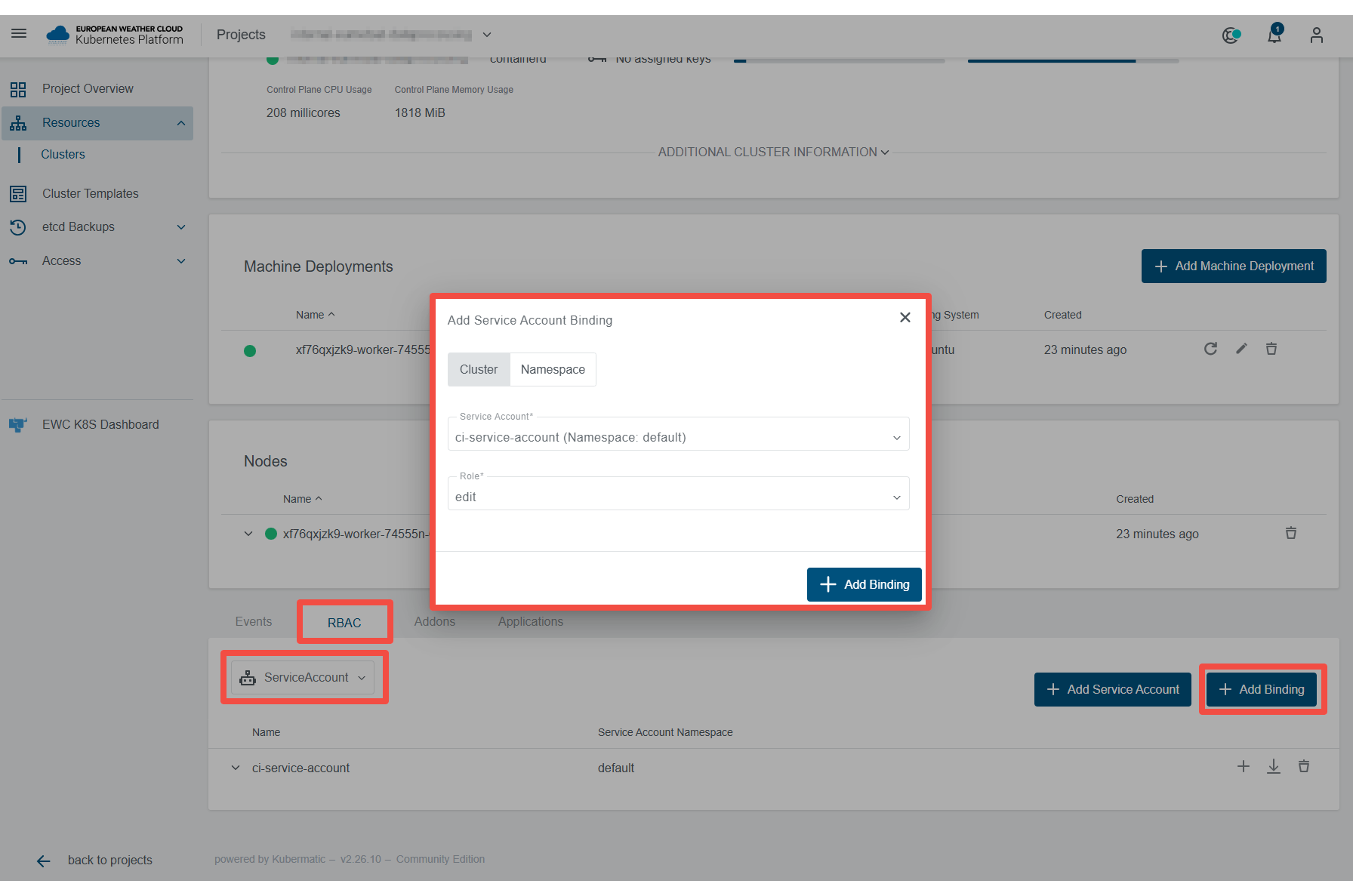
- Add a cluster or namespace-level role binding to the new account
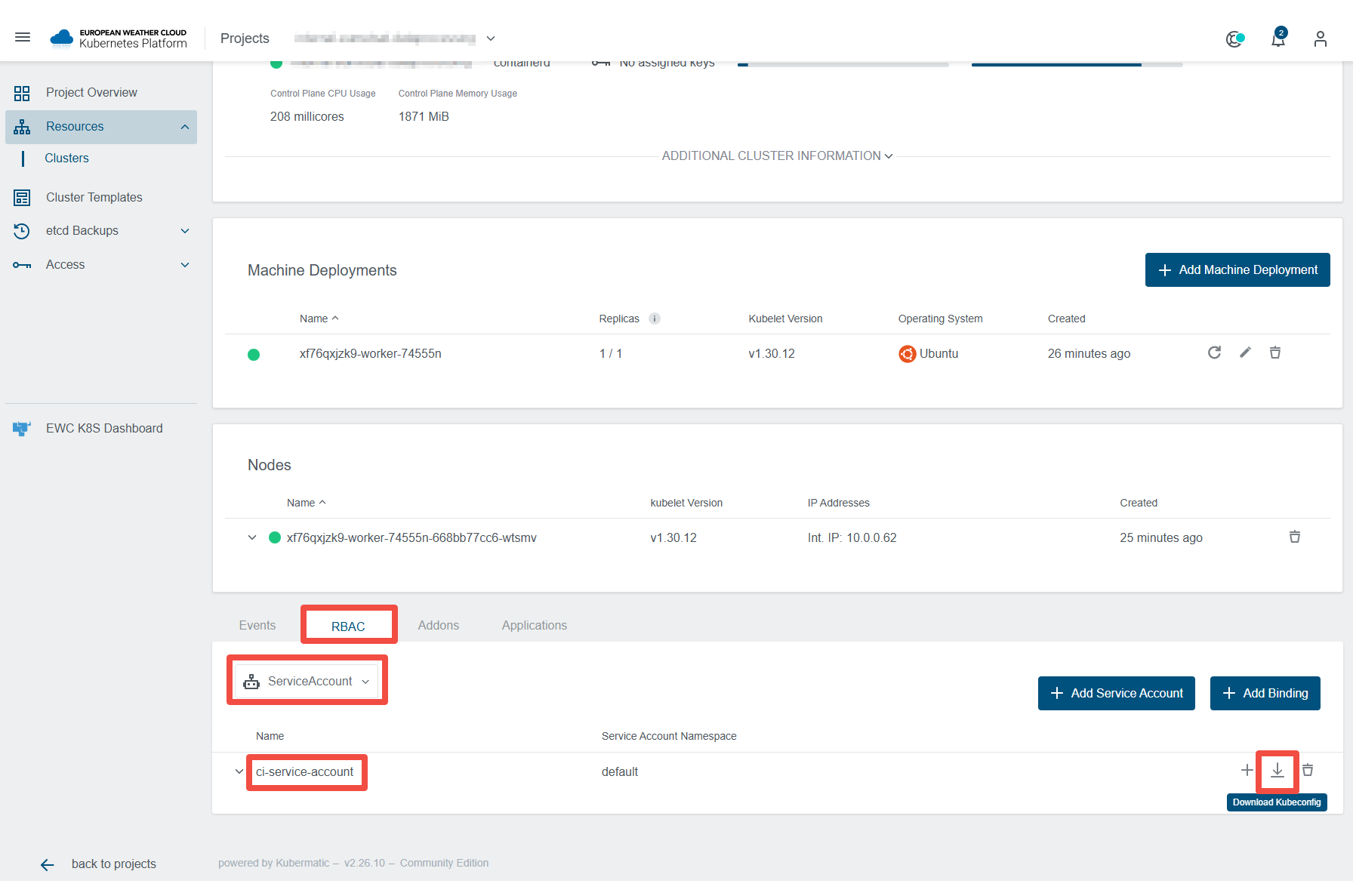
- Download the kubeconfig of the service account